Overview
Produced as a custom request job for Southern Utah University,
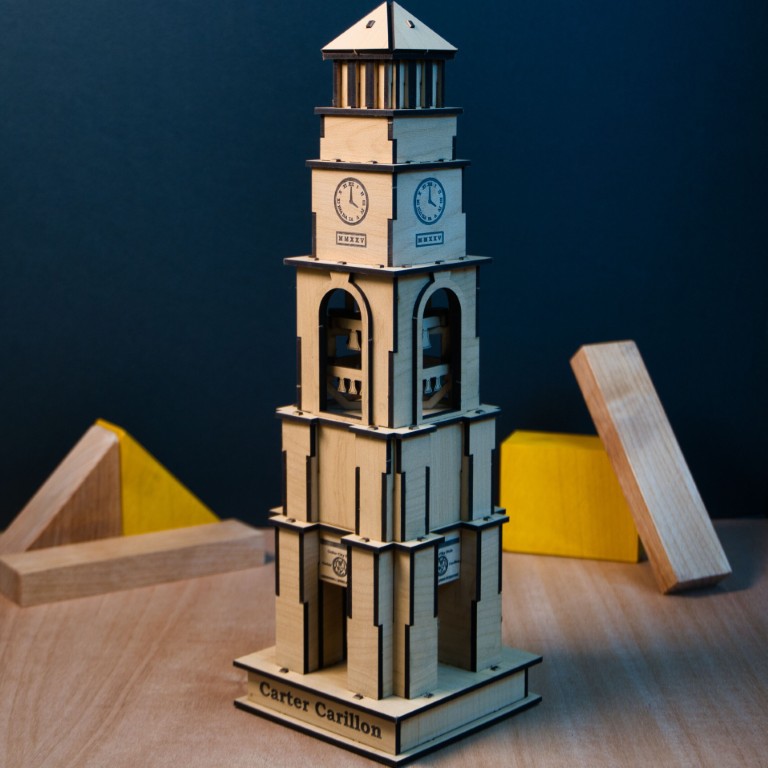
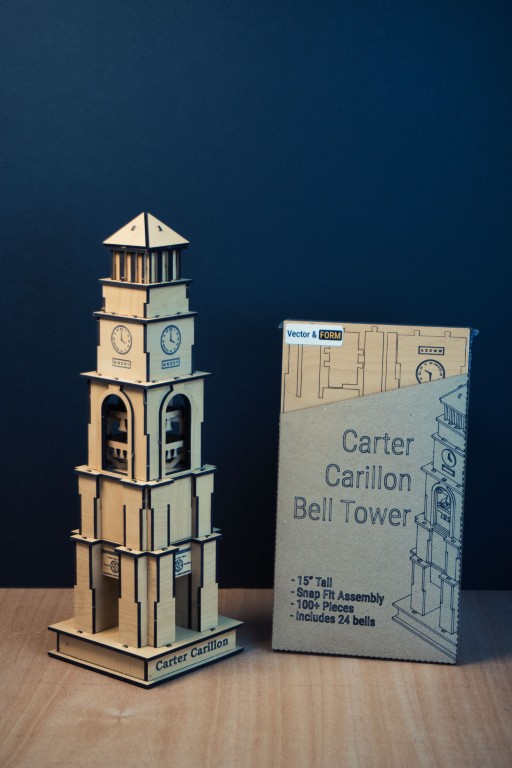
The Bell Tower Kit Card is a punch-out style miniature model designed for a glue free assembly. The design was created collaboratively: my friend modelled the interlocking geometry in Autodesk Fusion, engineering the snap fit joinery so the tower assembles without glue or tools.
My role covered the end-to-end production side: prepping cut files for the laser, producing the instruction booklet via engineering drawings, package design, and product photography.
| Specification | Detail |
|---|---|
| Material | Truflat MDF core sheet — consistent density, minimal surface variation, ideal for fine laser detail |
| Cutting method | CO₂ laser cutter |
| 3D design | Autodesk Fusion (modeled by Connor Cook) |
| Instructions | Affinity Designer & Affinity Publisher |
| Packaging substrate | Floor protection board (recycled/repurposed) |
| Packaging artwork | Pen plotter + Drag Knife cutter |
Process
How it came together
3D Modeling in Fusion
Connor Cook built the tower geometry in Autodesk Fusion, engineering tight tab-and-slot joinery that holds under finger pressure with no adhesive needed. Each part was laid flat and nested for efficient sheet use.
Material Selection
Truflat MDF core sheet was chosen for its uniform density and flat surface. It's fast to cut, consistent, and has several choices of faux wood pattern to choose from.
CO₂ Laser Cutting
The manufacturing extension on Fusion allowed for panelizing the assembly and exporting it in tightly packed panels for minimum waste.
Instruction Booklet
I designed the step-by-step assembly guide in Affinity Designer and laid it out for print in Affinity Publisher. The guide uses clear numbered steps with part-callout illustrations to walk the builder through assembly without prior experience.
Packaging Material
We had some fun with the packaging material. By using floor protection board, we can get a very cheap material in large rolls. Then a large vinyl cutter can cut the outlines and score fold lines for quick assembly.
Pen Plotter Artwork
Artwork was applied to the packaging using a pen plotter loaded with a fineline Sharpie. Cheap, fast, and easy was the name of the game.
Why a pen plotter for packaging? The style of packaging was kept visually consistent with our 'crafty' aesthetic and we certainly couldn't afford proper die cut packaing for such a small product run.
Gallery
Product photography

Contributions
Who did what
Connor Cook: https://www.linkedin.com/in/connor-cook-142063264/
Parametric part modeling in Autodesk Fusion, tab-and-slot tolerancing, and flat-pattern layout for laser nesting.
Ashton Gilmore
Cut file preparation and laser production. Instruction booklet design (Affinity Designer + Publisher). Packaging construction, pen plotter artwork, and all product photography.